



Description
Canon 280 Ink Cartridges A Simple Guide for Smooth Everyday Printing
Printing at home or in a small office should feel easy. But many people only realize how important ink cartridges are when their printer starts producing faded pages or stops working properly. If you’re using a Canon PIXMA printer, especially the MP280 series, understanding Canon 280 ink cartridges can save you both time and frustration.
This guide will walk you through everything in simple English—what this ink is, how it works, how to install it, and how to get the best print results without wasting money or ink.
What Are Canon 280 Ink Cartridges?
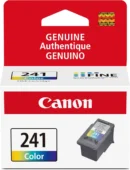
Canon 280 ink cartridges are designed for Canon PIXMA printers that use a two-cartridge system. One cartridge handles black ink, while the other (Canon 281) handles color printing.
The Canon 280 cartridge is mainly responsible for sharp black text. It is widely used for documents, school work, and everyday printing tasks where clear text matters most.
What makes it useful is its balance of quality and reliability. When used correctly, it produces clean, readable prints without smudges or uneven lines.
Why These Cartridges Are So Common in the USA
In the USA, many homes and small businesses use Canon PIXMA printers because they are affordable and easy to maintain. The Canon 280 ink system fits perfectly into this setup.
People prefer it because:
- It is simple to replace
- It works well for daily printing needs
- It delivers consistent black text quality
- It is widely available online and in stores
For beginners, it’s one of the most straightforward ink systems to understand and use.
Compatible Printers You Should Know About
Before buying ink, it’s always important to check compatibility. Canon 280 ink cartridges are mainly used in printers like the MP280 series.
If your printer supports this cartridge type, you will usually get a message or model number confirmation on your printer or old cartridge.
Using the correct ink ensures your printer runs smoothly and avoids common issues like detection errors or poor print quality.
Difference Between Canon 280 and Canon 281 Ink
Many beginners get confused between these two cartridges.
Canon 280 is used for black printing. It handles text-heavy documents and gives strong contrast on paper.
Canon 281 is used for color printing. It helps create images, charts, and graphics in color.
Both cartridges work together inside the printer. If one is missing or empty, your printing experience becomes incomplete. That’s why they are often used as a set.
How to Install Canon 280 Ink Cartridges
Installing a new cartridge is not complicated. Even if you are doing it for the first time, you can manage it in a few minutes.
First, turn on your printer and open the cartridge cover. Wait until the holder moves into position. Then gently remove the old cartridge by pressing it down.
Take your new Canon 280 cartridge out of the packaging. Be careful not to touch the metal contacts or ink nozzles.
Insert it into the black ink slot and push it gently until it clicks into place. Close the printer cover and wait for it to recognize the cartridge.
Once done, print a test page to make sure everything is working properly.
Simple Tips to Make Your Ink Last Longer
Ink can be expensive over time, so it helps to use it wisely. Small changes in your printing habits can make a big difference.
One helpful tip is to use draft mode for everyday printing. This uses less ink while still keeping text readable.
You should also avoid printing unnecessary pages. Before printing, check your document carefully.
If you only need text, switch your printer settings to grayscale or black-only mode. This reduces color ink usage.
Finally, try to print regularly. If a printer stays unused for too long, ink can dry and cause clogging issues.
Common Problems and Easy Fixes
Sometimes printers behave unexpectedly, but most issues are easy to fix.
If your printer does not detect the cartridge, remove it and reinstall it carefully. Make sure all protective tape is removed.
If the print looks faded or streaky, run a cleaning cycle from your printer settings. This helps clear blocked ink nozzles.
If you see error messages, restart the printer and check if the cartridge is properly seated.
Most of these problems are small and can be solved without technical help.
Buying Canon 280 Ink in the Right Way
When buying ink in the USA, it’s important to choose carefully. There are many cheap options online, but not all of them are reliable.
Genuine cartridges usually cost a bit more but give better performance and fewer printing problems. They also protect your printer from damage.
Always check product compatibility before buying. Make sure the seller is trusted and offers return options if needed.
This helps you avoid wasting money on low-quality ink.
You can buy genuine Canon 260 ink from trusted stores online for best printing performance.
Why Print Quality Depends on Ink Choice
Many people think printer quality depends only on the printer itself, but ink plays a huge role too.
Good ink gives you sharp text, smooth lines, and consistent results. Poor-quality ink can cause smudging, fading, or even damage the printer head.
That’s why using the right cartridge matters just as much as having a good printer.
FAQs About Canon 280 Ink Cartridges
Is Canon 280 ink good for everyday printing?
Yes, it is designed for regular document printing and works well for home and office use.
Can I use Canon 280 without Canon 281?
You can, but only black printing will work. Color printing requires both cartridges.
How long does Canon 280 ink last?
It depends on your usage. Light users may get several weeks to months of printing.
Can I refill Canon 280 cartridges?
Some people do, but it may affect print quality and reliability. Genuine replacements are safer.
Why is my printer not recognizing the cartridge?
Usually it happens due to improper installation or leftover protective tape. Reinstalling it usually fixes the issue.
Final Thoughts
Canon 280 ink cartridges are a simple and reliable solution for everyday printing needs. Whether you’re printing school assignments, business documents, or personal files, they offer consistent performance without unnecessary complexity.
If you use your printer regularly, understanding how to install, maintain, and use these cartridges properly can save you money and improve print quality over time.Canon printers and ink systems are designed for reliable performance, and you can learn more about official products on the Canon website.
Choosing the right ink is not just about printing—it’s about keeping your workflow smooth and stress-free.