
Your cart is currently empty!.
You may check out all the available products and buy some in the shop.
Continue Shopping



Browse photo studio equipment at RightTech Store for product photos, portraits, and videos. Choose tools that help you control the light, background, and camera position.
Start with the type of pictures you want to take. Then check your room size, equipment fit, and budget.
Lighting affects how colors, details, and shadows appear in your photos. A studio light gives you more control when daylight changes.
Continuous lights stay on while you work. This lets you see where the light falls before taking a photo or recording a video.
Check the brightness controls and power source before buying. Adjustable light color can help you match other lights in the room.
A softbox spreads light through a diffuser to soften shadows. Check that its mount and size suit your light.
A reflector bounces existing light onto your subject. It can help brighten a shaded side without adding another powered light.
Choose the size based on what you photograph. Small products and full-length portraits need different amounts of coverage.
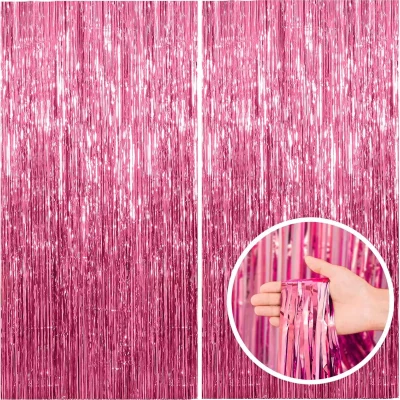
A photography backdrop gives your subject a clear background. Choose a color and material that suit your photos.
Measure the width and height you need before buying. Leave room between your subject and the backdrop when possible.
Check whether the backdrop includes a stand or clips. A support stand must hold the backdrop’s size and weight.
Keep cables around the setup tidy with suitable cord management products.
A tripod holds a compatible camera or phone in a fixed position. It is useful when you need several photos from the same angle.
Light stands support lighting equipment. They are not always suitable for holding cameras, so check the intended use.
Compare the height range, mount type, and load limit. Include the weight of any attached light modifiers when choosing a stand.
You do not need to fill a room with equipment to start. Choose a clear background, suitable lighting, and a stable support for your camera.
For small product photos, leave enough space to move the light around. Test a few angles to see which shows the item clearly.
If your setup uses a webcam, explore webcams and VoIP equipment and check the camera’s video features.
After a shoot, copy your photos and videos to another storage location. Browse memory card readers that support your camera card and computer port.
Keep lenses, screens, and other surfaces clean using the maker’s instructions. Explore cleaning equipment and check which surfaces each product suits.
Check these details before ordering:
Visit the RightTech Store shop to explore more products for your creative setup.
Start with a camera or phone, suitable lighting, and a simple background. Add a tripod or stand if you need a fixed position.
A softbox spreads light over a larger area to soften shadows. Its effect depends on its size, position, and distance from the subject.
No. Some listings include only the backdrop. Check the box contents for stands, clips, and support bars.
Continuous lights can work for video when their features suit the task. Check brightness, flicker performance, and power needs.
Yes. Good lighting, a steady position, and a clear background can help. Check that any phone holder fits your device.









