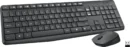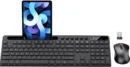
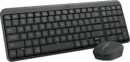




Description
Best Wireless Keyboard and Mouse Combo for Home and Office Use
Cables clutter your desk. Wired keyboards limit where you can sit. Cheap keyboards and mice can make your hands tired after a few hours.
A good wireless keyboard and mouse combo fixes all three problems. You get a clean desk, more freedom to move, and comfortable typing all day. Most combos use one tiny USB receiver that connects both devices in seconds, with no wires and no complicated setup.
Why Go Wireless?
Wireless combos keep your desk clean with no tangled cables. They are light and easy to carry between rooms or offices. Most connect through a single USB receiver that links both devices right away. There is usually no software and no pairing. Just plug in and start working. For everyday typing and browsing, modern 2.4GHz wireless feels just as quick as a cable.
What to Look For
- Stable connection: Choose 2.4GHz wireless for a fast, steady link with little delay. A range of up to 33 feet covers most rooms.
- Comfortable keyboard: Look for soft, quiet keys and a full-size layout with a number pad. Media keys and tilt legs make long days easier.
- Good mouse: Adjustable DPI lets you change cursor speed. A comfortable shape and silent clicks help in shared spaces.
- Battery life: Good combos last months or even years on one set of batteries. Auto sleep saves power when you step away.
- Compatibility: Most combos work with Windows, macOS, and ChromeOS, but always check before you buy.
- Port type: Many receivers use USB-A. If your laptop only has USB-C ports, you may need an adapter.
Wireless vs. Wired
Wired combos never need batteries or charging, and they are a great choice for shared desks and offices. Wireless combos win on almost everything else: a cleaner desk, easy portability, and the freedom to place your keyboard and mouse where they feel best. For most home and office users, wireless is now the better everyday choice.
Who Needs a Wireless Combo?
- Home office workers: A comfortable, quiet combo makes long workdays easier on your hands.
- Students: A clean, portable setup for dorms and libraries.
- Home entertainment users: Control your PC or media center from the couch.
- Everyday users: A simple setup that works the moment you plug it in.
Common Mistakes to Avoid
- Buying on price alone: The cheapest combos often feel uncomfortable and wear out fast.
- Ignoring comfort: A poor setup can leave your hands and wrists tired after long days.
- Skipping compatibility: Make sure the combo works with your computer and ports.
- Forgetting battery life: Choose a combo with long battery life or auto sleep so it does not die mid-task.
How to Make Your Combo Last
Wipe your keyboard and mouse with a soft cloth, and use compressed air to clear dust between the keys. Turn off the power switches when you are not using them. Store the USB receiver inside the mouse when you travel so it never gets lost. Replace batteries before they run out completely, and remove them if you will not use the combo for a long time to avoid leaks.
Why Trusted Brands Matter
Well-known brands like Logitech are a safe choice for most people. They offer comfortable typing, long battery life, strong builds, and a steady wireless connection. Some budget brands cut corners on comfort and connection quality. A slightly better combo from a proven brand may cost a little more, but it usually lasts longer and feels better every day.
Frequently Asked Questions
Is a wireless keyboard as fast as a wired one?
For typing, browsing, and office work, a good 2.4GHz wireless keyboard feels just as fast. Competitive gamers may still prefer wired.
Do wireless keyboards work with Mac?
Most do, but some media keys may work differently. Check the product’s compatibility list first.
How long do the batteries last?
It depends on the model. Many combos last several months, and some keyboards last up to three years on one set of batteries.
What if my laptop only has USB-C ports?
Use a USB-C to USB-A adapter, or choose a combo that includes one.
A wireless keyboard and mouse combo is one of the easiest desk upgrades you can make. You get a cleaner workspace, better comfort, and reliable everyday performance. Pick the right one, and you will feel the difference from the very first day.