






Description
TP-Link UB500 USB Bluetooth Adapter for PC – Nano Plug and Play Dongle for Windows
Does your PC have no Bluetooth or weak Bluetooth? The TP-Link UB500 adds wireless Bluetooth in seconds. Just plug it into a USB port.
Connect wireless headphones, keyboards, mice, speakers, and game controllers to your desktop or laptop. The tiny nano design can stay plugged in all the time.
Key Benefits
- Adds Bluetooth: Connect wireless devices to any PC with USB.
- Nano size: Small enough to leave plugged in.
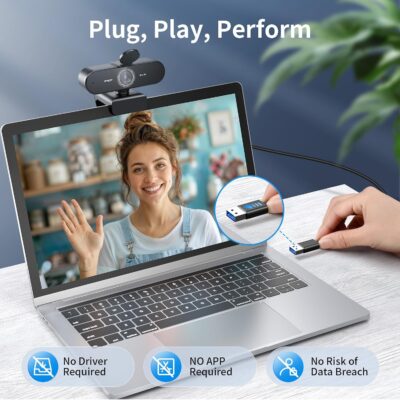
- Plug and play: Works right away on Windows 11 and 10.
- EDR and BLE: Supports classic and low-energy Bluetooth devices.
- Trusted brand: Made by TP-Link.
Compatibility
- Windows 11 and 10 (plug and play)
- Windows 8.1 and 7 (driver may be needed)
- Desktops and laptops with a USB-A port
- Headphones, speakers, keyboards, mice, and controllers
Not for Mac. Linux support may vary.
Product Specifications
- Brand: TP-Link
- Model: UB500
- Interface: USB-A
- Features: EDR, BLE
- Design: Nano
Who Is It For?
- Desktop users: Add Bluetooth to a PC that has none.
- Gamers: Connect wireless controllers.
- Office workers: Use wireless keyboards and mice.
- Music lovers: Stream to Bluetooth speakers and headphones.
How to Use
Plug the adapter into a USB port. On Windows 11 or 10, it sets up by itself. Open Bluetooth settings, turn on your device’s pairing mode, and click to connect.
Why Choose the TP-Link UB500?
It is a small, low-cost way to add Bluetooth to any PC. TP-Link is a well-known networking brand, and setup takes only a few seconds on modern Windows.
What Is in the Box?
- 1 x TP-Link UB500 Bluetooth USB Adapter
Frequently Asked Questions
Do I need to install drivers?
On Windows 11 and 10, no drivers are needed. On Windows 8.1 or 7, you may need to install the driver from TP-Link.
Does it work on Mac?
No. It is made for Windows PCs. Macs already have Bluetooth built in.
Can I connect more than one device?
Yes. You can pair several devices at once. Performance may drop if many devices are active at the same time.
Will it work with my PS5 or Xbox controller?
Yes, most Bluetooth game controllers work on Windows. Some controllers may need extra setup in Windows.
What is the range?
Range depends on walls and other devices. For best results, keep devices in the same room.
Should I remove my old Bluetooth first?
If your PC already has Bluetooth, turn it off in Device Manager. This stops the two from conflicting.