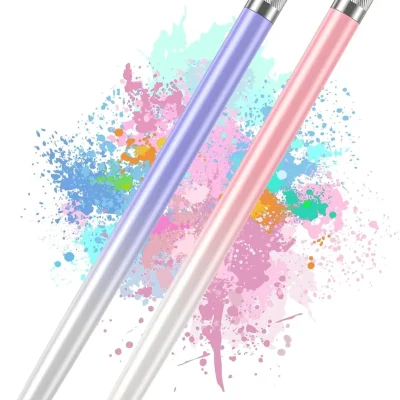
Description
iPad Pencil with Tilt Sensitivity and Palm Rejection (Fits iPads 2018 to 2026)
This iPad pencil gives you the features most people use every day. It writes smooth notes. It draws clean lines. It costs much less than an Apple Pencil.
It works with every iPad made from 2018 to 2026. That includes the iPad A16 11th Gen, iPad Air M4, iPad Pro M5, and iPad Mini A17 Pro.
Key Benefits
- Tilt for thick and thin lines: Hold it straight for thin lines. Tilt it for thick lines. Great for shading and nice handwriting.
- Palm rejection: Rest your hand on the screen. Only the pencil tip writes.
- Magnetic hold: It sticks to the side of your iPad. The magnet does not charge it.
- Fast USB-C charging: Full charge in about 15 minutes. Use it for up to 9 hours.
- Auto sleep: It turns off after 5 minutes of no use to save battery.
- Battery lights: 3 lights show how much charge is left.
- 1.5mm fine tip: Small, sharp tip for neat writing.
- No Bluetooth needed: Tap the button and start.
Please note: this pencil reads the angle, not how hard you press. It does not have pressure sensitivity.
Compatibility
- iPad: A16 11th Gen, 10th, 9th, 8th, 7th, and 6th Gen
- iPad Air: 11 inch and 13 inch M4, M3, M2, and 3rd to 5th Gen
- iPad Pro: 11 inch and 13 inch M5 and M4, and 11 inch and 12.9 inch models from 2018 to 2022
- iPad Mini: A17 Pro, 7th, 6th, and 5th Gen
It does not work with iPads made before 2018, iPhones, or Android devices.
Product Specifications
- Tilt sensitivity: Yes
- Pressure sensitivity: No
- Palm rejection: Yes
- Charging port: USB-C
- Charge time: About 15 minutes
- Battery life: Up to 9 hours
- Auto sleep: After 5 minutes
- Battery lights: 3 LED lights
- Tip size: 1.5mm
- Extra tips: 3
- Bluetooth needed: No
Who Is It For?
- Students: Neat class notes all day long.
- Note takers: Write lists, plans, and journals.
- Casual artists: Sketch and shade with tilt.
- Office workers: Mark up PDFs and sign forms.
Quick Setup Tip
If the pencil does not write, remove any old Apple Pencil from Bluetooth. Go to Settings, then Bluetooth, tap Apple Pencil, and choose Forget This Device. Also turn off “Only Draw with Apple Pencil” in Settings, then Notes.
Why Choose This iPad Pencil?
Most people use a pencil for notes, simple drawing, and signing forms. This pencil does all of that well at a low price. Tilt gives your lines real shape. Palm rejection lets you write in a natural way. It charges fast and sticks to your iPad. And it is honest about what it does not do, so you know what you get.
What Is in the Box?
- 1 iPad pencil
- 3 extra pencil tips
Frequently Asked Questions
Is this an Apple Pencil?
No. It is a lower cost pencil for iPad. It has tilt and palm rejection. It does not have pressure sensitivity or double tap.
Does it charge on the side of my iPad?
No. The magnet only holds it. Charge it with a USB-C cable.
Does it work with Procreate?
Yes, for basic drawing with tilt. Brushes will not change with how hard you press.
How long does the battery last?
Up to 9 hours on a full charge.