



Description
4K HDMI Capture Card – USB 3.0 Video Capture at 1080P 60FPS for Streaming and Recording
Your gameplay looks incredible on your monitor and terrible on your stream — the compression, the frame drops, and the muddy quality your audience watches from the software-only capture your CPU struggles to encode alongside the game it is already running at the frame rate your hardware barely maintains without the additional encoding burden your streaming software imposes on the processor simultaneously rendering your gameplay and compressing your broadcast. A dedicated capture card offloads the video signal to external hardware — your game runs on your GPU, your capture card handles the video, and your stream receives the 1080P 60FPS output your audience deserves from the dedicated device processing your broadcast separately from the system rendering your gameplay. This 4K HDMI Capture Card accepts 4K input from your console, PC, or DSLR and outputs 1080P at 60FPS through USB 3.0 to your streaming software — plug-and-play with OBS Studio, Streamlabs, and XSplit without driver installation from the device your computer recognizes as a video source the instant you connect it. Low-latency passthrough lets you play on your monitor without delay while your audience watches every frame through the capture path processing your broadcast independently from the display path delivering your gameplay to the screen your eyes follow.
Key Benefits
- 4K Input — 1080P 60FPS Output: The card accepts 4K HDMI signals from your source device and captures at 1080P 60FPS for streaming and recording — the resolution and frame rate that produces professional-looking content from the output quality your Twitch, YouTube, and broadcast platforms display to the audience watching your gameplay, camera feed, or presentation.
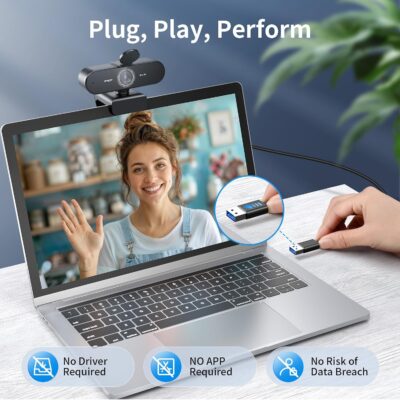
- Plug-and-Play — No Drivers: Connect USB 3.0 to your PC or laptop and the card appears as a video source immediately — no driver downloads, no software configuration, and no compatibility troubleshooting from the device your streaming software detects the instant your operating system recognizes the capture hardware plugged into its USB port.
- OBS, Streamlabs, XSplit Compatible: Works with the streaming software your broadcast already runs through — select the capture card as your video source and your stream receives the HDMI signal your card processes from the compatible software integration requiring no custom plugins or special configuration beyond source selection.
- Low-Latency Passthrough: Play on your monitor without perceptible delay while the capture card processes your broadcast separately — the passthrough that keeps your gameplay responsive on your display while your audience receives the captured signal through the streaming path operating independently from your gaming experience.
- Universal HDMI Compatibility: PS5, Xbox Series X, Nintendo Switch, DSLR cameras, PCs, and any HDMI-enabled device — the universal input accepting the video signal every HDMI source produces from the connector standard your gaming consoles, cameras, and computers all output through.
- Compact and Portable: The lightweight design fits your bag for LAN parties, events, travel streaming, and the mobile setups your content creation takes beyond your desk — the portable capture hardware that goes wherever your streaming happens from the device small enough to carry alongside the laptop powering your broadcast.
How to Use
Connect your HDMI source (console, PC, camera) to the capture card’s HDMI input. Connect the card’s USB 3.0 to your streaming PC or laptop. Open OBS Studio, Streamlabs, or XSplit and add a video capture source — select the capture card. Your source’s video appears in your streaming software at 1080P 60FPS. For passthrough monitoring, connect an HDMI cable from the card’s output to your gaming monitor.
Perfect For
- Game Streamers: Capture PS5, Xbox, Switch, and PC gameplay for Twitch and YouTube — the dedicated hardware processing your broadcast so your gaming system focuses on rendering the gameplay your audience watches through the stream your capture card feeds independently.
- Content Creators: Record DSLR camera feeds, presentation captures, and the video content your channel produces from sources beyond gaming — the HDMI input accepting any video signal your camera or device outputs for the recording your creative workflow captures.
- Dual-PC Streaming: Your gaming PC runs the game while your streaming PC handles the broadcast — the capture card bridging both systems through the HDMI-to-USB path that sends your gaming output to the streaming system encoding and broadcasting it to your audience.
- Podcast and Live Events: Camera feeds, presentation slides, and the multi-source content live broadcasts capture from HDMI sources — the low-latency processing your live audience needs from the real-time capture delivering your content without the broadcast delay that makes live interaction feel disconnected.
Technical Specifications
- Input: HDMI (up to 4K)
- Output: USB 3.0 (1080P 60FPS)
- Passthrough: HDMI (low latency)
- Driver: Not Required (plug-and-play)
- Software: OBS Studio, Streamlabs, XSplit compatible
- Sources: PS5, Xbox, Switch, DSLR, PC, any HDMI device
- Design: Compact, Portable
What’s in the Box
- 1 x 4K HDMI Capture Card
Frequently Asked Questions
Does this capture at 4K?
The card accepts 4K HDMI input but captures and outputs at 1080P 60FPS — your source can run at 4K on your monitor through passthrough while the captured stream outputs at 1080P resolution to your streaming software.
Do I need a powerful PC to use this?
The capture card handles video input processing, but your streaming PC still encodes the broadcast — a capable CPU or GPU encoder is recommended for smooth 1080P 60FPS streaming. The card reduces the burden compared to software-only capture but does not eliminate encoding requirements entirely.
Can I record without streaming?
Yes, OBS and similar software can record locally without broadcasting — capture gameplay, camera feeds, or presentations to your hard drive for editing and uploading later without live streaming simultaneously.
Does this add input lag to my gameplay?
The HDMI passthrough sends your video signal to your gaming monitor with minimal latency — you play on your monitor’s direct feed while the capture card processes the stream separately. Your gameplay experience remains responsive through the passthrough path independent from the capture processing.
Does this work with Mac?
The plug-and-play USB connection typically works with macOS through standard USB video class support — verify compatibility with your specific macOS version and streaming software if Mac-based capture is essential for your setup.
Order this 4K HDMI Capture Card today and stream your gameplay at 1080P 60FPS through the dedicated hardware your broadcast deserves — plug-and-play simplicity, low-latency passthrough, and the portable design that captures wherever your content creation happens.