
Your cart is currently empty!.
You may check out all the available products and buy some in the shop.
Continue Shopping

PowerBear 10ft 4K HDMI cable delivers high-speed Ultra HD video and clear audio with support for 4K at 60Hz, 2K, and 1080P resolution. Features durable braided nylon, gold-plated connectors, ARC support, and wide compatibility with PS5, Xbox, laptops, monitors, and streaming devices.


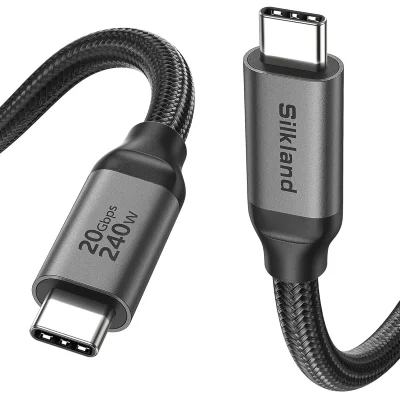
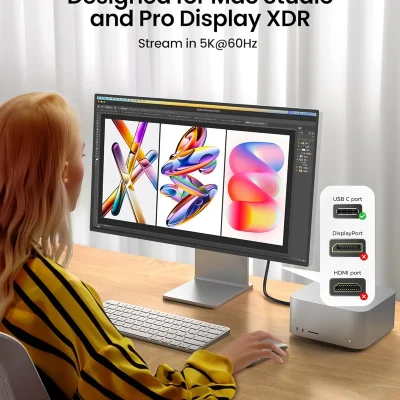


Cables and accessories connect your everyday devices. They help you charge a phone, move files, connect a screen, or link a computer to a router.
Explore cable options at Right Tech Store. Match the plugs, length, and cable features to the job you need it to do.
USB cables can charge devices and transfer files. Common types include USB-A, USB-C, and Micro-USB. Check both ends of the cable before choosing one.
Cables with the same plug may support different speeds or charging levels. Read the product details to check what each cable can do.
Need more ports for your desk? Explore our USB hubs for suitable connection options.
HDMI cables carry sound and video between supported devices. You may need one for a monitor, TV, gaming console, or projector.
Check the resolution and refresh rate your setup needs. Choose a cable that supports both devices. Browse monitor accessories for other items to complete your screen setup.
An Ethernet cable connects a supported device to a router or network port. Check the cable type and length before buying.
Adapters help connect devices with different ports. Some work in only one direction, so read the connection details carefully.
Use this simple checklist:
Keep your desk tidy with cord management accessories. For suitable wall-power connections, explore power strips and surge protectors.
Working on a car sound system? Visit amplifier installation accessories for related wiring needs.
No. Some support only charging and data. Your cable and device port must both support video output.
Choose a cable that reaches without being pulled tight. Avoid extra length that leaves loose loops around your setup.









