
Your cart is currently empty!.
You may check out all the available products and buy some in the shop.
Continue Shopping





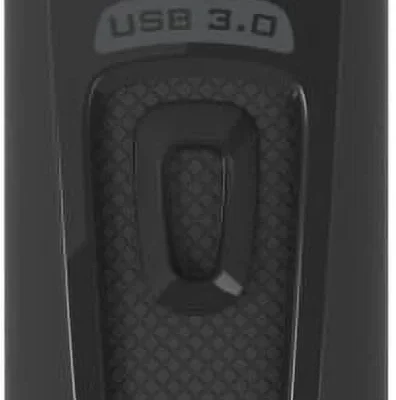
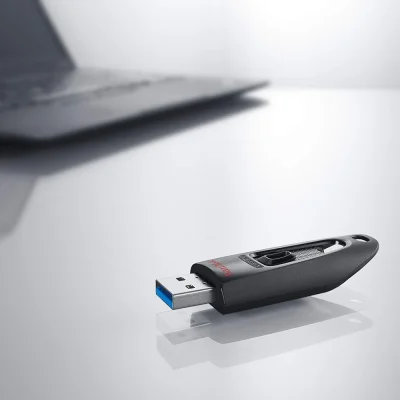


The SamData 32GB USB Flash Drives 2 Pack includes one Black and one Blue thumb drive for easy color-coded file organization. USB 2.0 interface with plug and play compatibility for Windows, Mac, and Linux. Each drive features a 360° swivel capless design with a metal clip and built-in LED transfer indicator. Compact and portable for storing photos, documents, music, and backups. Backed by a 12-month warranty.


Build a more useful setup with computers and accessories from RightTech Store. Explore keyboards, mice, USB hubs, webcams, storage devices, and parts for everyday tasks. Whether you need more connections or a replacement accessory, start with what your device supports.
The right addition can make typing easier, simplify video calls, or help you move files between devices. Browse products by purpose, compare their features, and check compatibility before ordering.
Choose accessories for computers based on how you use your desk each day. A student may need portable storage and a compact mouse. Someone working from home may benefit from a webcam, a full-size keyboard, and extra USB ports.
Start with the problem you want to solve. Do you run out of ports? Does your keyboard feel uncomfortable? Are your video calls difficult to hear?
Answering these questions helps you focus on useful features. It also makes comparing products easier, especially when similar items offer different connections or functions.
Your keyboard and mouse affect nearly every task you complete. Consider keyboard size, key layout, mouse shape, and connection type. A number pad can help with spreadsheets, while a smaller keyboard leaves more room on your desk.
Explore keyboards, mice, and accessories for wired and wireless options. Wired models avoid battery changes. Wireless models can reduce cable clutter, though some need a USB receiver.
Check whether batteries, receivers, or charging cables come with the product. These details matter when setting up a new workstation.
A laptop may have fewer ports than your setup needs. A suitable hub can connect a mouse, keyboard, storage drive, or display through one compatible port.
Browse external components when expanding your connections. Check the port types, supported speeds, and power requirements listed for each item.
USB-C describes a connector shape, but its supported functions vary. Confirm that your computer and hub support the display or charging features you need.
Choose portable accessories that suit your laptop and daily routine. A compact mouse is useful when travelling. A hub can help you connect desk equipment when you return home.
When comparing laptop computers accessories, check your exact model and available ports first. Chargers also need the correct power rating and connection. A plug that fits does not establish full compatibility.
For repairs, explore laptop replacement parts. Match the part number, dimensions, and supported models before buying. Seek help from a qualified technician if the repair is beyond your experience.
Searching for dell computers laptops accessories is a starting point. Narrow your choice using your Dell model number, charging requirements, and port specifications. Products designed for one laptop series may not suit another.
The same care applies when browsing apple computers tablets & accessories. Check the Mac or iPad model, operating system requirements, and supported connections. Tablet cases and keyboard covers often fit only specific generations.
For samsung computers tablets & accessories, confirm the Galaxy device name and model number. Screen size alone may not establish whether a case, stand, or keyboard cover fits correctly.
If you search for samsung computers tablets accessories without a specific model, refine your search before purchasing. Compare the product’s compatibility list with your device details.
A useful home office starts with equipment that supports your main tasks. Comfortable input devices help with writing and data entry. Suitable audio and video equipment can make online meetings easier to follow.
Choose business accessories for computers around your workflow. Consider how many devices you connect, whether you handle frequent calls, and how much desk space you have.
Keep setup requirements simple where possible. Check whether an accessory needs software, separate power, or an adapter before adding it to your workspace.
Compare webcam resolution, microphone features, mounting options, and supported software. Autofocus and light correction may help in changing conditions, but room lighting still affects picture quality.
Browse webcams and VoIP equipment for your meeting or calling setup. Confirm that your chosen product works with your operating system and preferred applications.
The right display position can make your workspace easier to use. A stand or mount may also free up space underneath the screen.
Explore monitor accessories and check fit before ordering. For monitor arms, compare the supported weight, mounting pattern, and desk attachment requirements.
Choose gaming computers accessories based on the games you play and the controls you prefer. Mouse shape, keyboard layout, audio quality, and connection type deserve attention alongside appearance.
When browsing results for gaming accessories computers, look beyond lighting effects. Check whether features such as programmable buttons require software. Confirm that the software supports your operating system.
A gaming keyboard may use membrane or mechanical switches. Read the product description carefully if you want a particular typing feel or switch type.
For shared spaces, consider quieter controls and suitable headphones. For smaller desks, compare product dimensions before ordering.
Use the computer components category to explore parts for your setup. Start with your system specifications and identify the part you need to replace or add.
Check internal components against your motherboard, case, and power supply requirements. Physical fit and electrical compatibility both matter.
An upgrade should address a clear need. More storage helps when space runs low, while cooling changes require attention to mounting support and available clearance.
Explore single-board computers for relevant project options. Read each listing to understand the board type and what it can do.
A microcontroller board and a single-board computer serve different purposes. Check the required software, power supply, connections, and included parts before starting a project.
Portable storage helps you carry documents, share files, and keep additional copies of important work. Compare capacity, connection type, and supported transfer speeds.
Browse media storage for options suited to your files. Keep important data in more than one location, since a single portable drive can be lost or damaged.
For disc-based projects, explore blank media. Match the media format with your drive and intended playback device. Not every optical drive can write every disc type.
When shopping across computers tablets & accessories, begin with how you use your tablet. Reading, typing, drawing, and travel each call for different features.
A case can provide protection, while a stand can support hands-free viewing. A compatible keyboard may help with longer writing tasks. Stylus support varies by tablet and pen model.
For shoppers researching “types of tablet accessories computers and tablets,” useful categories include cases, stands, keyboards, screen protectors, and compatible adapters. Check exact fit and supported functions for every item.
When comparing premium computers & accessories, look for specific benefits that justify the cost. Materials, connection options, controls, and warranty terms are more useful than a premium label alone.
There are also cool accessories for computers that add personality to a desk. Choose colours and designs you enjoy while checking that the product meets your practical needs.
If you are browsing a computers & accessories sale, compare the displayed price with the features and included items. Read current delivery, return, and warranty information before ordering.
A search for a computers accessories overstock event does not confirm that a store is running one. Check the actual product page for a current offer and its terms.
Check your device model, operating system, ports, and power requirements. Read the compatibility details and package contents. These checks help you avoid missing cables or unsuitable connections.
Searches such as “computers accessories” or “accessories computers” cover many product types. Add the item you need, your device model, and a key requirement. For example, specify a wired keyboard or a USB-C hub with HDMI.
If you searched for computers accessories near me, review delivery availability for your address. Check the store’s contact information for any confirmed collection options before planning a visit.
A search for 3pl computers and accessories usually concerns third-party logistics, storage, and order fulfilment. This page is a product-shopping category. It does not establish that the store provides logistics services.
Wired products generally avoid battery charging and wireless pairing. Wireless options offer more freedom of movement. Choose based on your available ports, desk layout, and preferred maintenance routine.
Ready to shop computers & accessories for your daily setup? Start with the product category that matches your needs, then compare compatible options.
Visit the RightTech Store shop to explore the wider range. Review the specifications, choose the features you will use, and check the order details before purchasing.



