
Your cart is currently empty!.
You may check out all the available products and buy some in the shop.
Continue Shopping


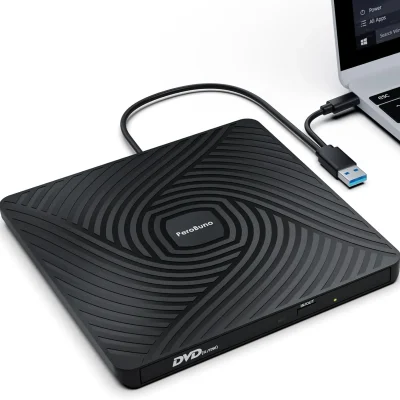

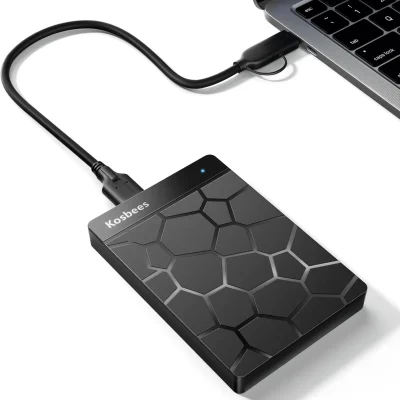
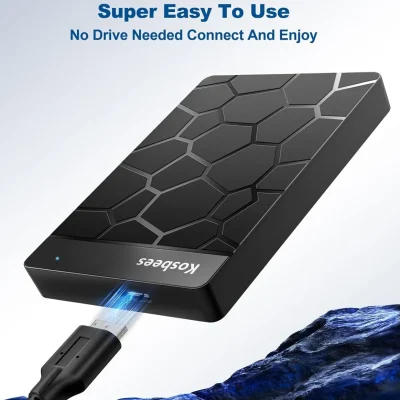
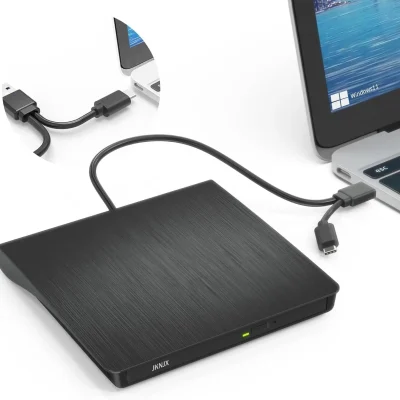
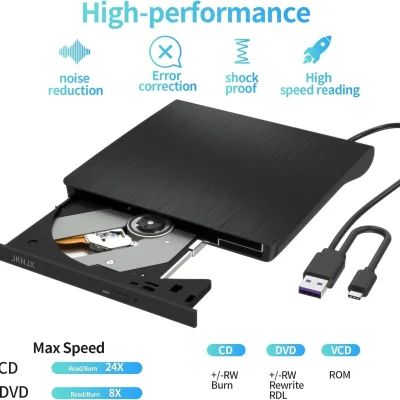
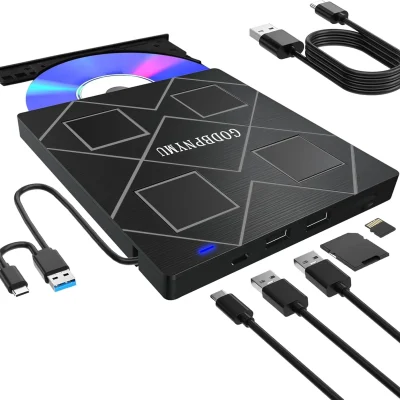


The Amicool External CD/DVD Drive provides USB-C and USB 3.0 connectivity for reading and burning CDs and DVDs at 24X CD and 8X DVD speed. Ultra-slim at 0.5 inches thick and 7.35 ounces. Supports CD-ROM/R/RW, DVD-ROM/R/RW/+R/+RW, DVD-R DL/+R DL, VCD, SVCD — Blu-ray NOT supported. Dedicated auxiliary power port solves USB power limitations on ultra-thin laptops. Plug-and-play on Windows 11/10/8/7/XP/Vista, macOS, Linux. NOT compatible with Chrome OS, smartphones, tablets, TVs, or cars. Emergency manual eject pinhole. Cable stores in bottom groove. Soft storage pouch included.

External computer components add useful features without fitting new parts inside your computer. Use an external DVD drive to open files on a disc. Choose a portable hard drive when you need more room for photos, videos, and documents.
At Right Tech Store, this range focuses on external CD/DVD drives and portable hard drives. Compare USB connections, supported computers, and features to find a product that suits your needs.
Whether you want to use older discs or keep a copy of your work, start with the task you need to complete. Then check the product details before ordering.
An external CD/DVD drive connects to a supported computer through USB. It gives you a way to use discs when your laptop or desktop has no built-in disc drive.
You may need one to open saved documents, access photos, or use software stored on a disc. Some models also write files onto suitable blank CDs and DVDs.
Our listings include options from brands such as Dell, ORIGBELIE, Amicool, and YOTUO. Features vary, so compare each drive's connections and supported disc types.
A disc reader opens files already stored on a supported disc. A burner can also write files to suitable blank discs. Many listed drives offer both functions.
If you want to create discs, check the supported formats before buying. Look for the type printed on your blank discs and compare it with the drive's product details.
Browse our blank media category if you need discs for a supported writer.
Choose a drive based on the discs you plan to use. A CD/DVD drive does not automatically support Blu-ray discs. Several models in this category state that Blu-ray is not supported.
Also check whether the drive supports reading, writing, or both for each disc type. These details matter more than the word “player” in a product name.
Look at your computer's USB ports before choosing a drive. Some models have the familiar rectangular USB-A plug. Others include USB-C, which has a smaller, rounded shape.
A drive with both connectors may be useful if you use more than one computer. Still, you need to check that each computer's system is supported.
Several listed drives have a cable that fits into the bottom of the case. This can make the drive easier to pack and keep its cable together during travel.
Check the cable length if your computer sits under a desk. The drive should rest on a flat surface without pulling on the cable or port.
Some external DVD drives include extra USB ports or memory card slots. These models combine disc access with other connections in one unit.
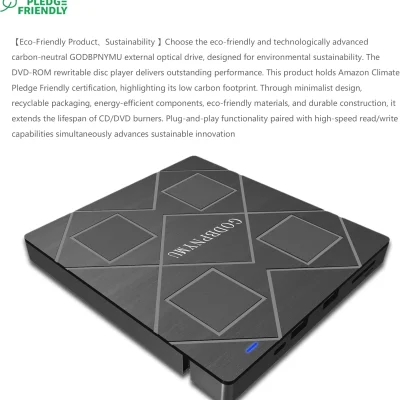
The listed BPAKDU and GODBPNYMU models include card readers and USB ports. Compare the exact port list to see which one meets your needs.
Read any limits on using features at the same time. For example, a product may include two card slots but allow only one to work at a time.
Check the power instructions too. Some models include an extra power cable for use when a computer's USB connection does not provide enough power.
A portable external hard drive adds space for files outside your computer. It can hold documents, photo collections, videos, and other files you want to keep.
This category includes 500GB external hard drives, with listings from UnionSine and Aiolo. Check each model's connections, included cable, and supported systems before choosing.
A portable drive can be useful for moving large folders between supported computers. It can also hold a separate copy of important files.
For more storage options, browse our media storage category.
Start by checking how much space your files already use. Documents usually need less room than large video files or game collections.
Leave room for new files instead of choosing only enough space for today. Your computer may display less than the capacity printed on the box because storage space is measured and used in different ways.
An external hard drive can be part of a simple backup plan. Keep your original files and copy them to another drive or suitable storage service.
Moving your only copy onto an external drive does not create a backup. Keep more than one copy of files you cannot replace, such as family photos or work records.
Choose an external disc drive if you need to read or write CDs and DVDs. Choose an external hard drive if you need more file storage.
These products serve different purposes. A hard drive stores files directly, while a CD/DVD drive needs a suitable disc.
Read the supported system list on the product page. Check your version of Windows, macOS, or Linux rather than relying only on the computer brand.
Do not assume a USB drive will work with every device that has a USB port. Several listed DVD drives exclude phones, tablets, TVs, or Chromebooks.
A computer may detect a disc drive as soon as you connect it. However, playing DVD movies or creating discs may still require suitable software.
Read whether software is included and which systems it supports. Older software supplied with a drive may not suit every newer computer.
Check whether the product draws power through USB or needs an extra connection. Follow the supplied setup guide, especially for drives with an added power cable.
If you plan to use a USB hub, check the drive maker's guidance first. Some drives call for a direct connection to the computer.
Compare the size and weight if you carry your drive often. A slim design may fit more easily in your laptop bag.
Look for an included pouch or a place to store the cable. Keep the drive separate from loose items that could press against it during travel.
They are devices that connect from outside a computer to add a function. Examples in this category include external CD/DVD drives and portable hard drives.
Yes, if the drive supports your laptop's system and connection. Check the product's supported devices, USB plug, and power needs before buying.
Only if it supports writing or burning. Check which blank CD and DVD formats it accepts. You may also need suitable disc-writing software.
Not unless it clearly lists Blu-ray support. A standard CD/DVD drive should not be bought for Blu-ray use.
It depends on the task and computer. Basic disc access may work without extra setup, while movie playback and disc burning may need an app.
Check the drive's supported systems and storage format. Some drives may need formatting for your intended use. Formatting erases existing files, so copy them elsewhere first.
Its main purpose is to add file storage. It does not upgrade your laptop's processor or memory. Choose it for storage needs rather than a general speed boost.
Find a practical way to access discs or store more files. Compare the available drives, check your computer's requirements, and choose the features you will use.
Visit our computers and accessories category for related products, or browse the Right Tech Store shop for more options.









